Bismillah.
Assalamualaikum.
We eventually need to copy ABAP programs to another SAP system, but the program uses a custom class and table that make simple copy complicated.
Many references can be read to do this, but I will show you how to complete this work in my way.
installation reference: https://docs.abapgit.org/user-guide/getting-started/install.html
ABAPGIT Installation
You can just follow the instructions on the link above. The tutorial is very simple. Or follow these steps here:
- Download the program from this link https://raw.githubusercontent.com/abapGit/build/main/zabapgit_standalone.prog.abap
- Create package $ZABAPGIT in SE80 (prefix $ means it is local package)
- Create new report in SE38 , named it “
ZABAPGIT_STANDALONE” -> save it in package $ZABAPGIT - Utilities -> More Utilities -> Upload/Download -> Upload. Choose the program file that you download in the first step.
- Activate, and run the program
- Follow the instructions until finished
EXPORT PROGRAM
- Create package $ZCOPY in SE80
- Copy all objects that you want to copy with prefix “YZ*” or something , save it in package $ZCOPY
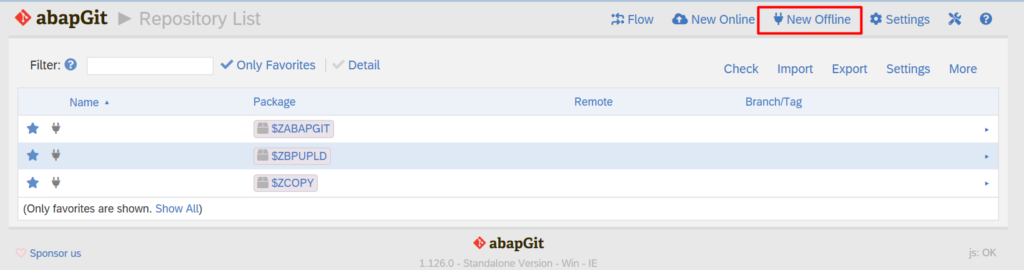
- Run program ZABAPGIT_STANDALONE or Tcode ZABAPGIT
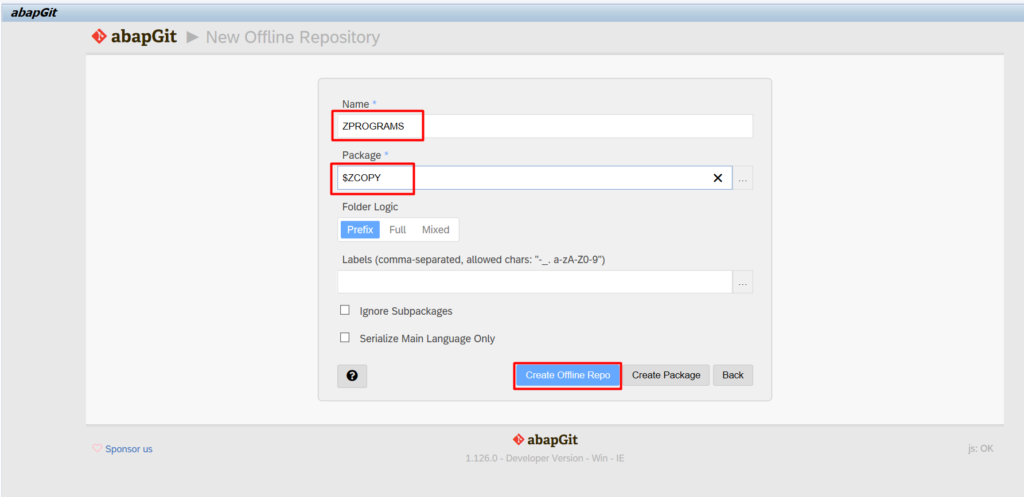
- Click New Offline
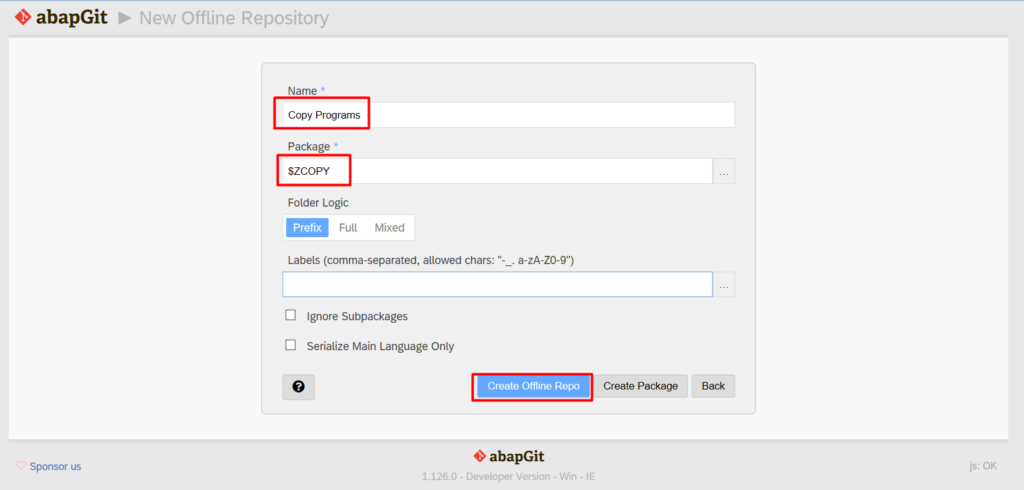
- Input Repository Name and Package , then click “Create Offline Repo”
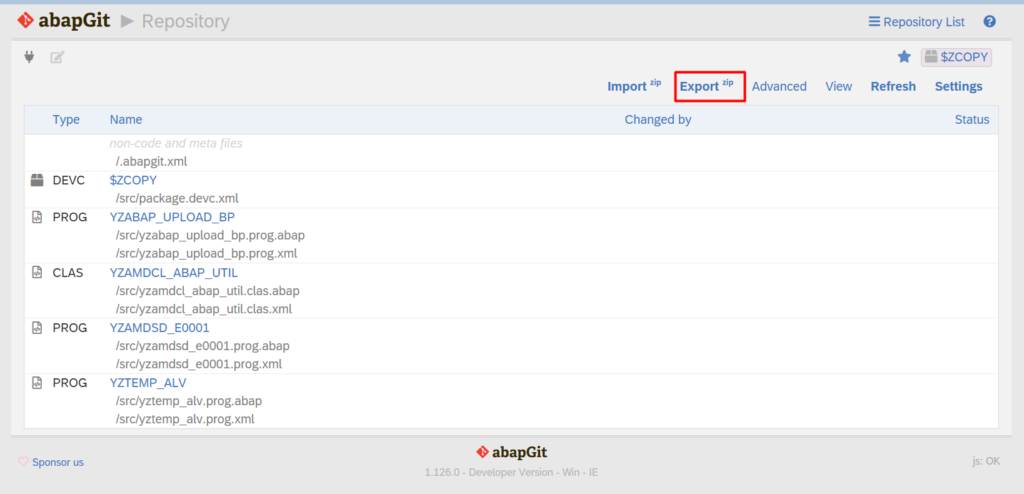
- Export to ZIP File
IMPORT PROGRAM
- Login to your target system
- Create package $ZCOPY in
- Open tcode ZABAPGIT
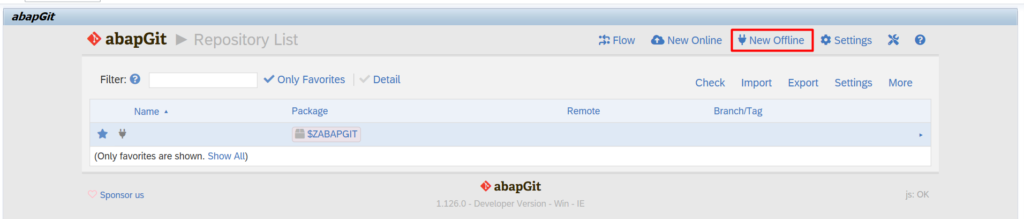
- Click New Offline
- Create offline Repo
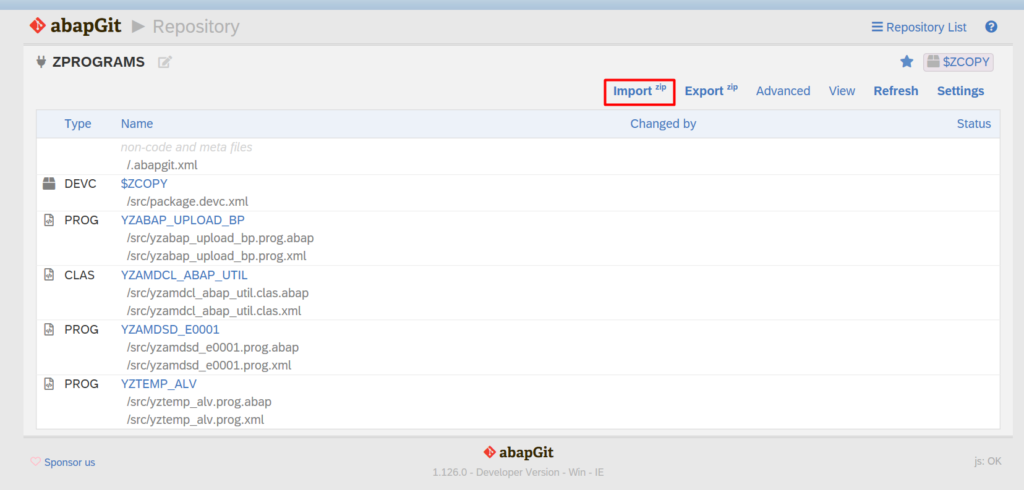
- Import ZIP Files
- After success import the ZIP files then click PULL
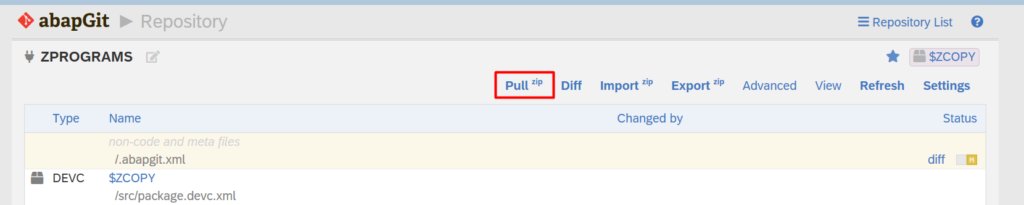
- After this PULL process finished, then your program must be copied to your package $ZCOPY
- Let’s copy the objects again from your YZ* naming to your proper ABAP naming and assign to package where it should be
- Activate it all and Cheers!