In development golden client server, there should be no data. But when we have to testing some syntax sometime we need dummy data to proceed. SAP provides dummy data that we can use to learning or testing some syntax.
Here I share to you the objects of that dummy data and how we generate or reset that.
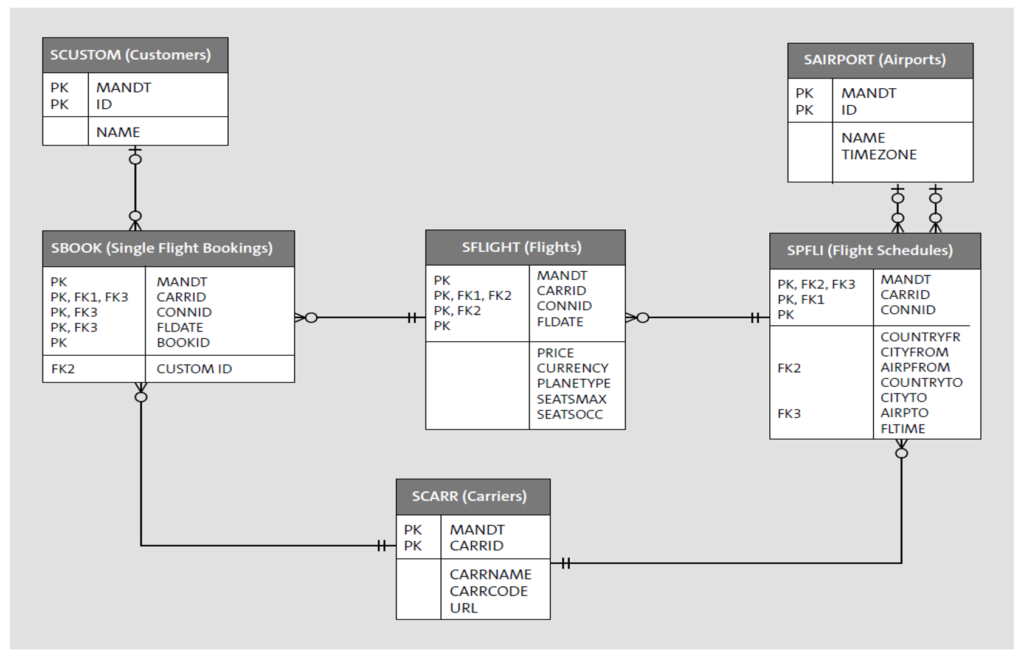
image from : https://blog.sap-press.com/what-is-sflight-and-the-flight-and-booking-data-model-for-abap
Here I sort the transaction data by their level (header to detail):
- SPFLI: the flight schedules for each airline
- SFLIGHT: the actual flights for a flight schedule
- SBOOK : bookings for single flights.
These is the master data tables:
- SCARR: all the carriers (airlines).
- SCUSTOM: information about the customers.
- SAIRPORT: the airport IDs and information about the airports.
If you guys found the tables has an empty row, then go to SE38 and run program SAPBC_DATA_GENERATOR . It will generate and reset your data in the demo tables above. (If you have changes in your data this action will reset the data into the beginning state.
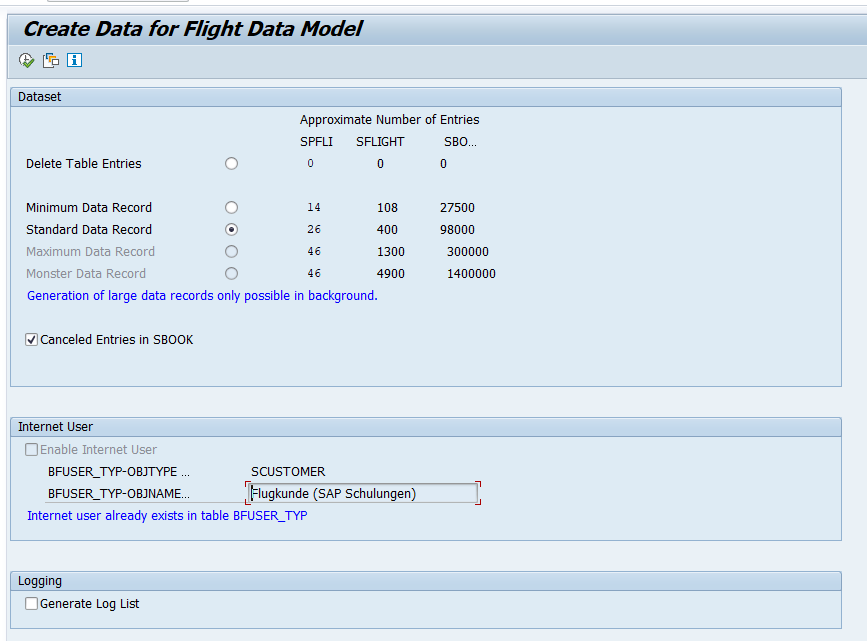
just execute it and check again in your demo tables.
Enjoy 🙂
References:
https://blog.sap-press.com/what-is-sflight-and-the-flight-and-booking-data-model-for-abap