Bismillah..
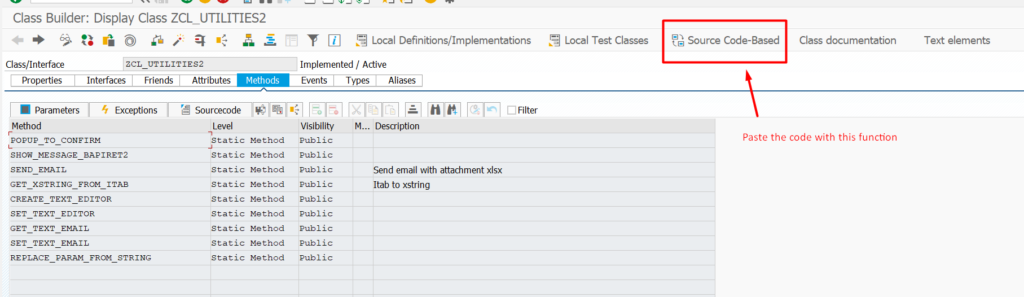
First, please copy paste this zcl_utilities2 to your class. Because we will use this class as tools to develop our email framework.
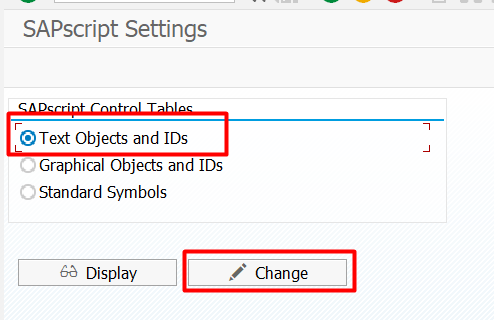
SE75 – Create Object for Body Text and Subject
Create new objects ZEMAIL
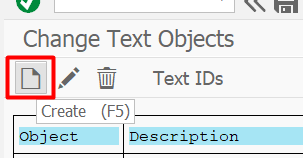
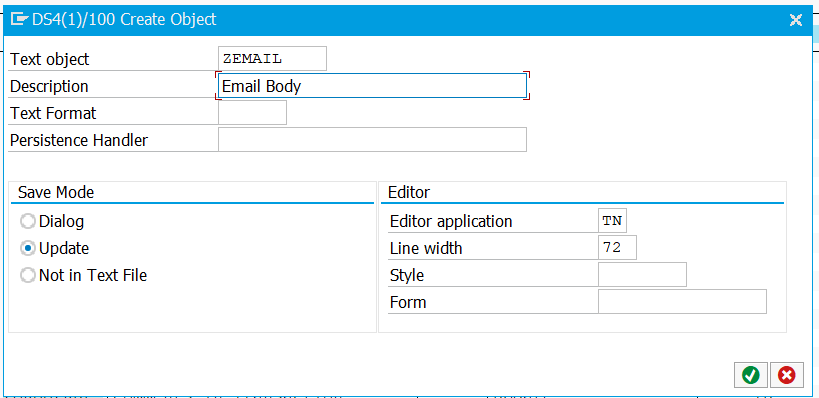
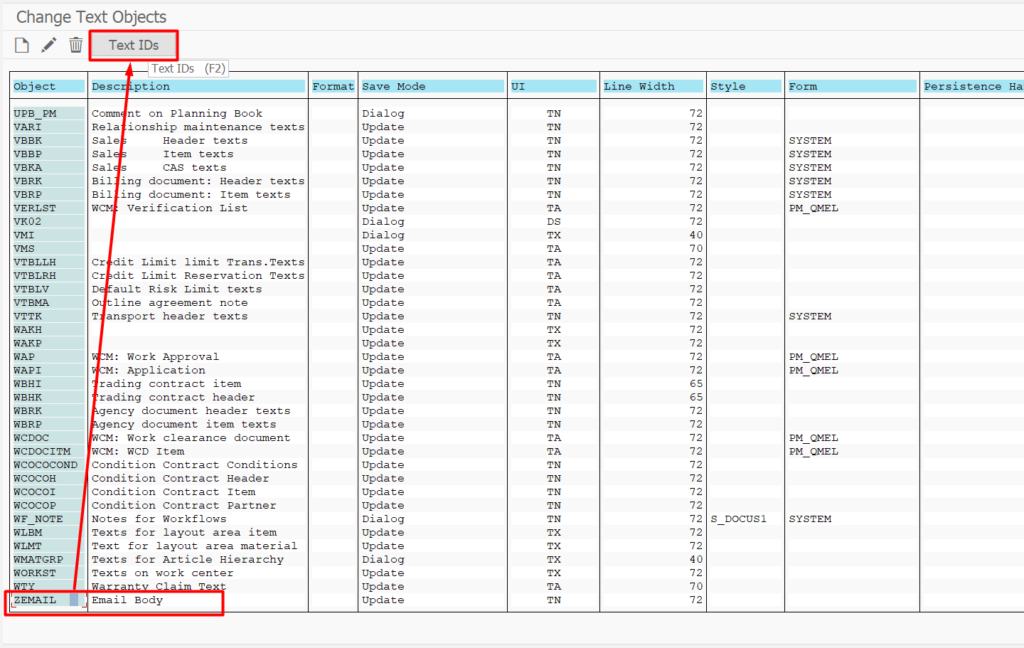
Then, create TextID for body and subject
* ==================================================================== *
* Program......: ZABAP_EMAIL                                           *
* Title........: Set body email                                        *
* ==================================================================== *
REPORT ZABAP_EMAIL.
* -------------------------------------------------------------------- *
*  G L O B A L   V A R I A B L E
* -------------------------------------------------------------------- *
DATA: gv_name     TYPE thead-tdname,
      ok_code     TYPE syst-ucomm,
      gv_subject  TYPE char72.

DATA:
  o_cont   TYPE REF TO cl_gui_custom_container,
  o_editor TYPE REF TO cl_gui_textedit.

* -------------------------------------------------------------------- *
*  S T A R T   O F    S E L E C T I O N
* -------------------------------------------------------------------- *
START-OF-SELECTION.
  CALL SCREEN 100.

* -------------------------------------------------------------------- *
*  S U B R O U T I N E S
* -------------------------------------------------------------------- *

*&---------------------------------------------------------------------*
*& Module STATUS_0100 OUTPUT
*&---------------------------------------------------------------------*
*&
*&---------------------------------------------------------------------*
MODULE status_0100 OUTPUT.
  SET PF-STATUS 'ST_0100'.
  SET TITLEBAR 'TI_0100'.

  IF o_editor IS NOT BOUND.
    PERFORM f_create_editor.
  ENDIF.


ENDMODULE.


*&---------------------------------------------------------------------*
*&      Module  USER_COMMAND_0100  INPUT
*&---------------------------------------------------------------------*
*       text
*----------------------------------------------------------------------*
MODULE user_command_0100 INPUT.
  CASE ok_code.
    WHEN '&SAVE'.
      PERFORM f_save.
    WHEN '&LOAD'.
      PERFORM f_load.
  ENDCASE.
ENDMODULE.


*&---------------------------------------------------------------------*
*&      Module  USER_COMMAND_EXIT  INPUT
*&---------------------------------------------------------------------*
*       text
*----------------------------------------------------------------------*
MODULE user_command_exit INPUT.
  LEAVE TO SCREEN 0.
ENDMODULE.


*&---------------------------------------------------------------------*
*& Form f_save
*&---------------------------------------------------------------------*
*& text
*&---------------------------------------------------------------------*
*& -->  p1        text
*& <--  p2        text
*&---------------------------------------------------------------------*
FORM f_save .
  DATA: lt_text_string  TYPE STANDARD TABLE OF string.
  DATA: lt_lines  TYPE bbpt_tline.
  DATA: lv_string TYPE string.

  DATA(lv_ans) = zcl_utilities2=>popup_to_confirm( 'Are you sure want to save?' ).
  CHECK lv_ans EQ '1'.

  DATA: lt_text TYPE TABLE OF char128.
  o_editor->get_text_as_stream( IMPORTING text = lt_text ).

  CALL FUNCTION 'CONVERT_STREAM_TO_ITF_TEXT'
    TABLES
      text_stream = lt_text
      itf_text    = lt_lines.


  zcl_utilities2=>set_text_email( EXPORTING im_id = zcl_utilities2=>gc_textid_body
                                            im_name = gv_name
                                            im_t_lines = lt_lines ).

  " save subject
  CLEAR: lt_lines.
  APPEND INITIAL LINE TO lt_lines ASSIGNING FIELD-SYMBOL(<lfs_lines>).
  <lfs_lines>-tdformat = '*'.
  <lfs_lines>-tdline = gv_subject.

  zcl_utilities2=>set_text_email( EXPORTING im_id = zcl_utilities2=>gc_textid_subject
                                            im_name = gv_name
                                            im_t_lines = lt_lines ).

ENDFORM.


*&---------------------------------------------------------------------*
*& Form f_create_editor
*&---------------------------------------------------------------------*
*& text
*&---------------------------------------------------------------------*
*& -->  p1        text
*& <--  p2        text
*&---------------------------------------------------------------------*
FORM f_create_editor .
  zcl_utilities2=>create_text_editor(
    EXPORTING
      im_cont_name = 'CONT_EDITOR'
*     im_text      =
    CHANGING
      co_cont      = o_cont
      co_editor    = o_editor
  ).
ENDFORM.


*&---------------------------------------------------------------------*
*& Form f_load
*&---------------------------------------------------------------------*
*& text
*&---------------------------------------------------------------------*
*& -->  p1        text
*& <--  p2        text
*&---------------------------------------------------------------------*
FORM f_load .
  DATA: lv_string TYPE string.
  zcl_utilities2=>get_text_email( EXPORTING im_id = zcl_utilities2=>gc_textid_body im_name = gv_name IMPORTING ev_string = lv_string ).
  IF lv_string IS NOT INITIAL.
    o_editor->set_textstream( lv_string ).
  ENDIF.

  " load subject
  CLEAR: lv_string.
  zcl_utilities2=>get_text_email( EXPORTING im_id = zcl_utilities2=>gc_textid_subject im_name = gv_name IMPORTING ev_string = lv_string ).
  gv_subject = lv_string.

ENDFORM.
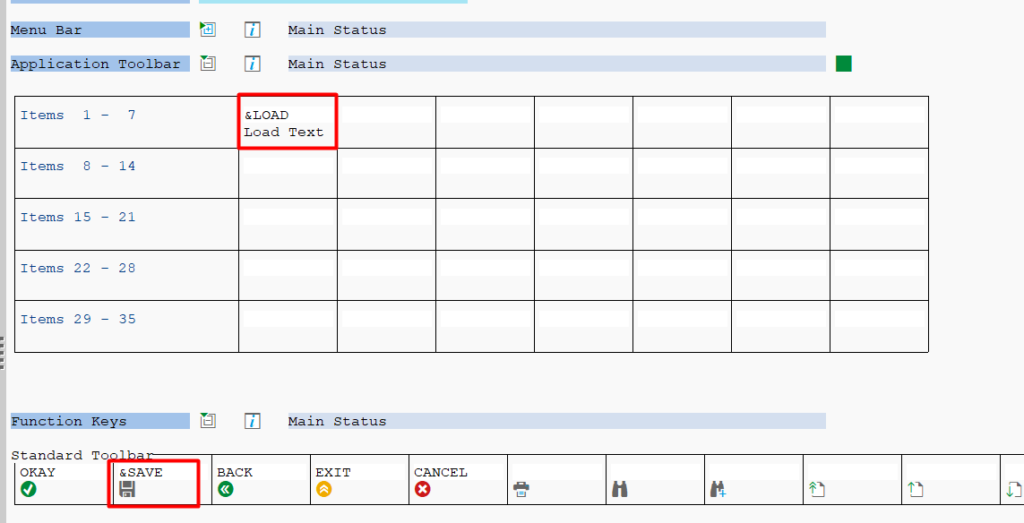
Screen 0100 like this
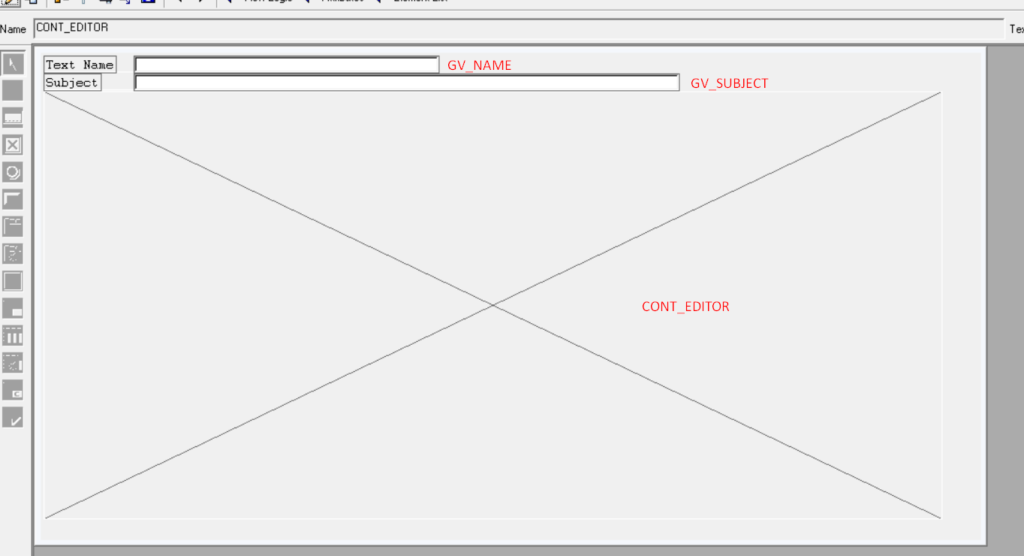
and create status
HOW TO USE IT
1. Create Your Text
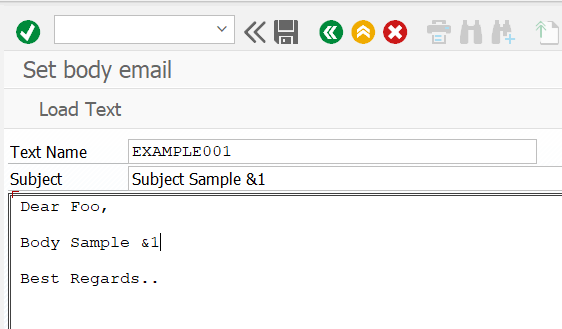
&1 will be replaced with parameter variable im_param1
2. Insert this example code to your send email program
      DATA(lv_xstring) = zcl_utilities2=>get_xstring_from_itab( <itab_email_content> ).
      zcl_utilities2=>send_email( EXPORTING im_transid = 'EXAMPLE001'
                                            im_attc_filename = 'Attachmentxxx'
                                            im_attachment = lv_xstring
                                            it_to = VALUE #( ( 'test@email.com' ) )
                                            it_cc = VALUE #( ( 'testcc@email.com' ) )
                                            im_param1 = 'param1'
                                            ).
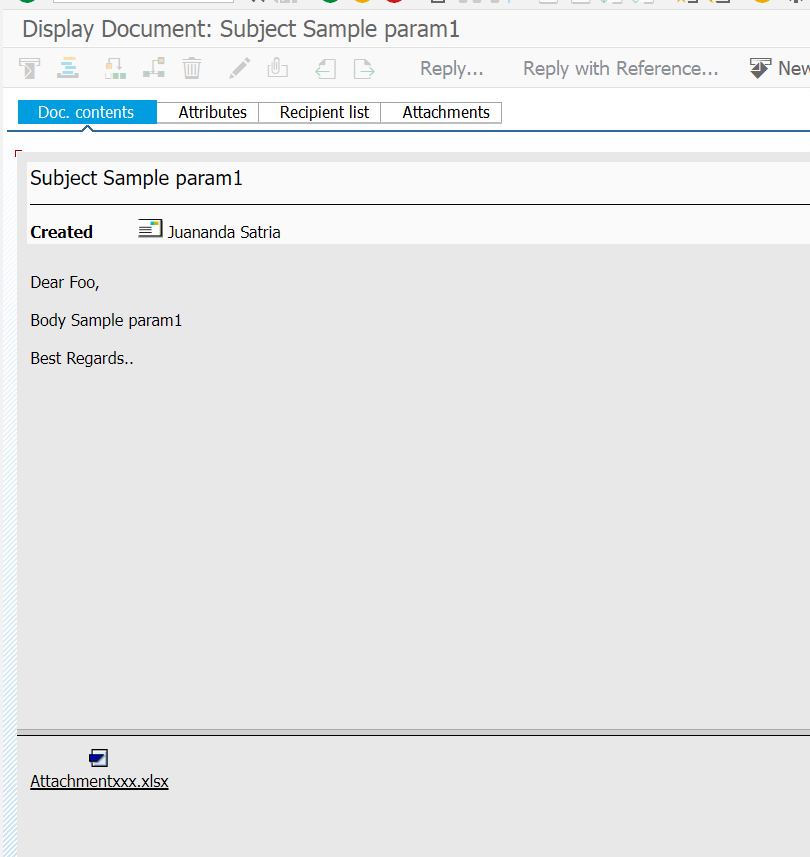
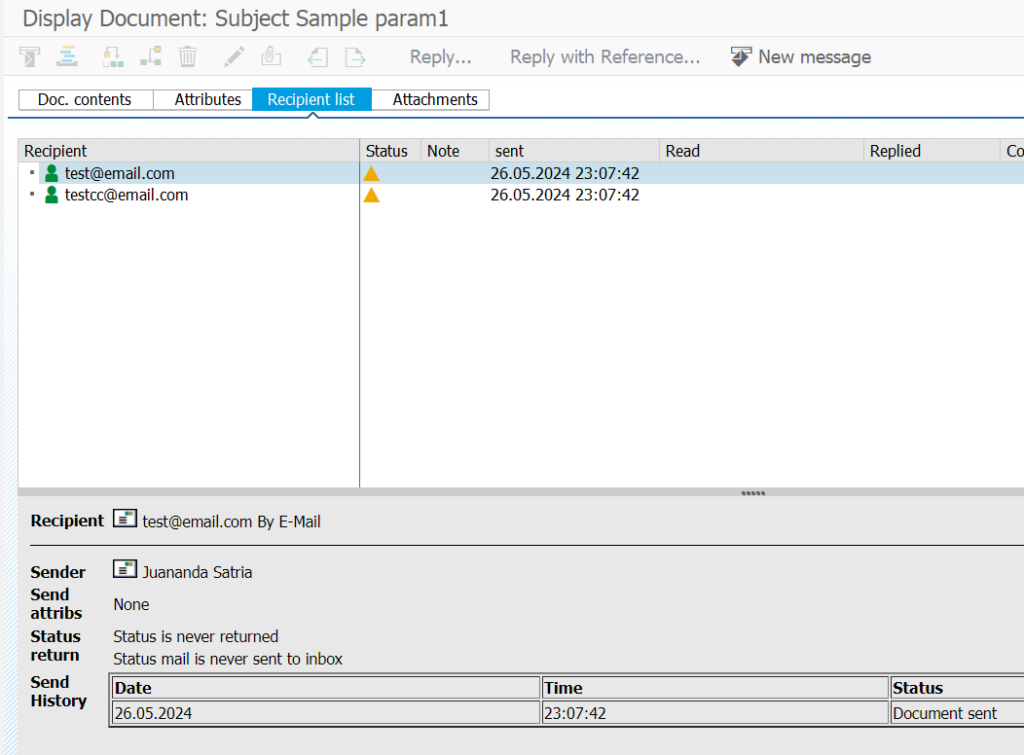
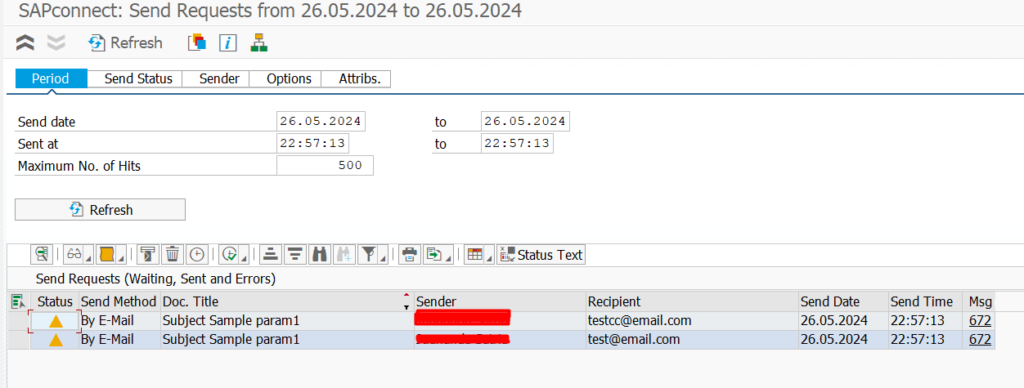
3. Result
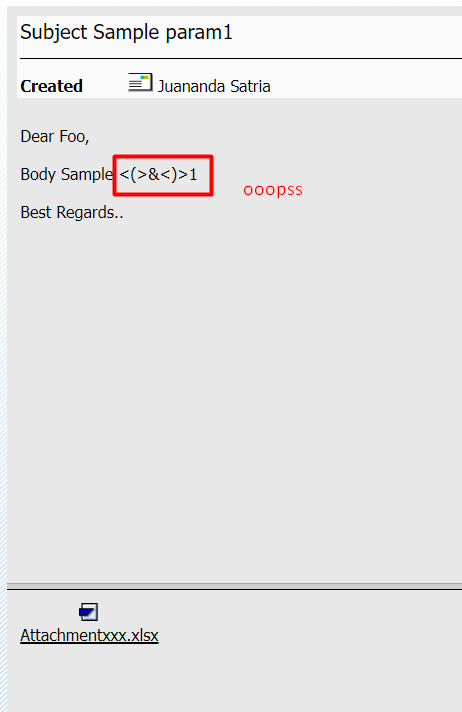
Then I insert some escape code
  LOOP AT lt_lines ASSIGNING FIELD-SYMBOL(<lfs_lines>).
    REPLACE ALL OCCURRENCES OF '<(>&<)>' IN <lfs_lines> WITH '&'.
  ENDLOOP.
Then here the final result